Showing posts with label Malaguti Justin. Show all posts
Wednesday, August 22, 2012
Monday, August 13, 2012
Wednesday, August 8, 2012
Wednesday, August 1, 2012
Sunday, July 29, 2012
malguti justin, assignment 04
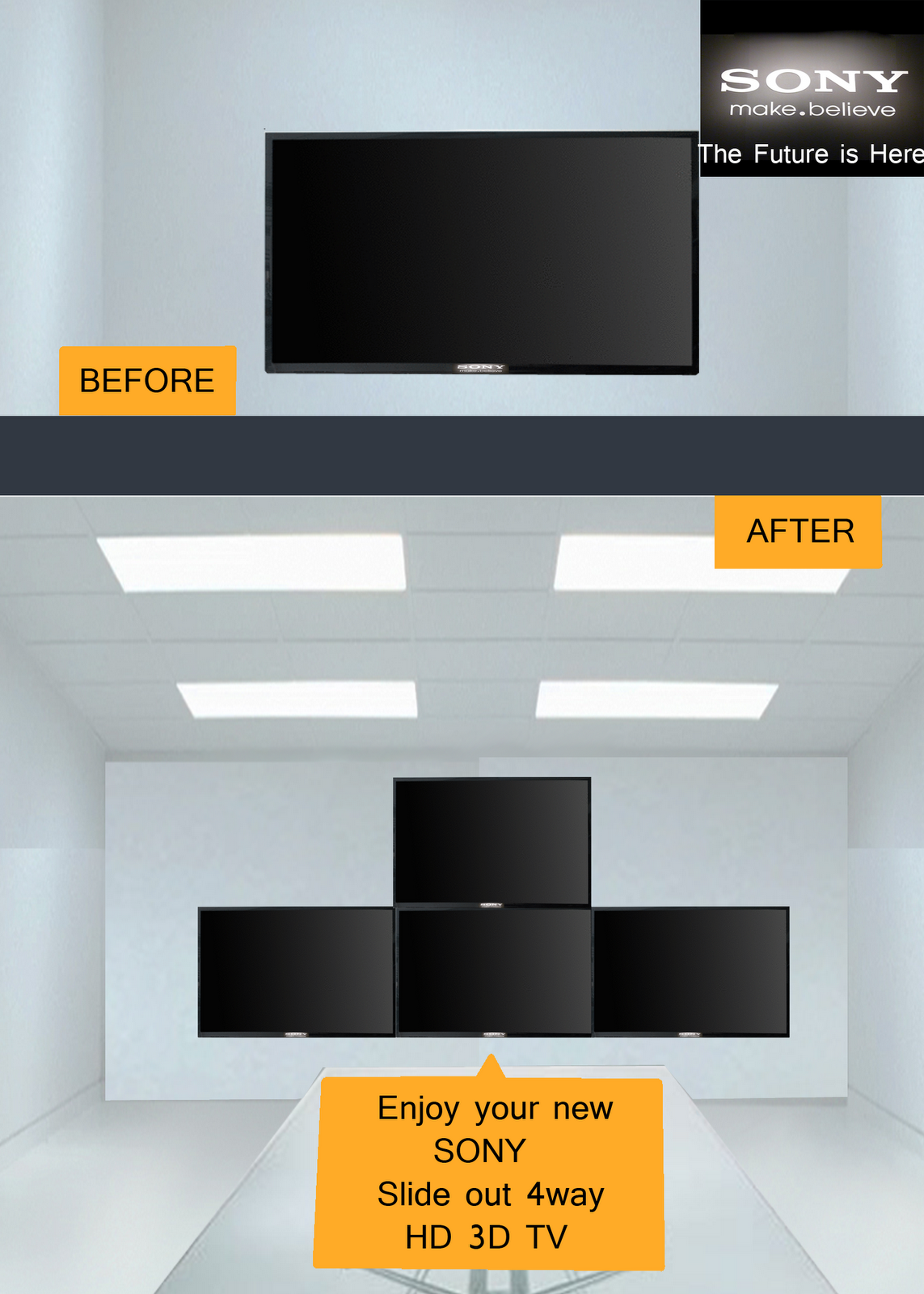
This is my SONY Slide out TV ad
This is my SONY tablet ad
What is your slogan?
The Future is Here
Who is your target
audience?
18-28 year old
Which publications do
you think the ad will be most successful running in? Magazines and commercials
Give the steps used in creating
the ad using Photoshop? (How did you get your finished results?)
For the speaker I found one picture of a speaker then cut out the actual speaker and duplicated the layer 3 times and manipulated them to the shape of a vase. Then took the brush made half circles then filtered them with chrome and smudged them.
For the TV I Duplicated a layer and put them next to each other. And used the Background from the speaker ad.
For the Tablet I copied and paste multiple pictures on their own layers and manipulated them to fit together. And used the same background as the speaker.
Monday, July 23, 2012
malaguti justin, Assignment 03
What is a book cover?
an image on the cover to show what the book is about.
What is it used for?
an image to show what the book is about
What kind of information must be included on it?
title and authors name
Monday, July 16, 2012
Wednesday, July 11, 2012
malaguti justin, Assignment 01
in class assignment -Pig-Bird..yup
ctrl+paint assignment
1. What is Photoshop? A program to create and add to art
2. List 10 things that you can do with photoshop.
1. create drawings
2. manipulate drawings
3. change colors in pictures
4. scale pictures to be bigger or smaller
5. blur pictures or parts of
6. sharpen pictures or parts of
7. add multiple layers
8. add text
9. erase errors on pictures
10. zoom in or out
3. Professions that would use photoshop to complete their work.
1. trading card artist
2. concept artist
3 fashion magazines
4. Tool panel overview:
ctrl+paint assignment
1. What is Photoshop? A program to create and add to art
2. List 10 things that you can do with photoshop.
1. create drawings
2. manipulate drawings
3. change colors in pictures
4. scale pictures to be bigger or smaller
5. blur pictures or parts of
6. sharpen pictures or parts of
7. add multiple layers
8. add text
9. erase errors on pictures
10. zoom in or out
3. Professions that would use photoshop to complete their work.
1. trading card artist
2. concept artist
3 fashion magazines
4. Tool panel overview:
- Name a type of selection tool
- lasso tool
- What does the move tool do and what is it's hot key?
- the move tool allows you to move a selected area of a picture. hot key is v
- What is the hot key for the eyedropper tool and what does that tool do?
- hot key is i. clicking the eye dropper over an existing color will allow you to use that color.
- What does the eraser tool do?
- erases...
- What tool creates straight, angled, or radial gradients, what is it's hot key?
- gradient tool, hot key is G
- When might you use the brush tool?
- to create new images, or add textures to existing pictures
- What is the difference between vector and raster?
- Vector is geometric shapes where raster is made of dots and pixels.
- What is the difference between aliased and anti aliased?
- aliased has jagged edges. anti aliasing is the smoothing of the jagged edges
Subscribe to:
Posts (Atom)